
Is your portable air conditioner acting up? You’re not alone. Many users face issues like leaks, poor cooling, or strange noises. These problems can be frustrating, especially during hot weather. But don’t worry—this guide is here to help.
Portable air conditioners, like the Black & Decker models, are designed for convenience. They offer multiple modes, including cool, dehumidify, fan, and heat. However, even the best units can run into trouble. Understanding how your conditioner works is the first step to fixing it.
From clogged filters to improper installation, small issues can lead to big headaches. Regular maintenance, like cleaning filters every 3-6 months, can prevent many problems. This guide provides practical solutions based on real user experiences and detailed manual instructions.
Key Takeaways
- Regular cleaning of filters prevents clogs and potential issues.
- Check for proper installation to avoid leaks and inefficiency.
- Use the dehumidify mode to manage excess moisture.
- Inspect components like gaskets and seals for wear and tear.
- Empty the drip pan frequently during high humidity periods.
Understanding Your Black & Decker Portable AC System
Ever wondered what makes your cooling unit efficient and reliable? Knowing the essential components and how they work can help you troubleshoot issues and maintain optimal performance. Let’s dive into the details of your system.
What Are the Essential Components and Functions of Your Unit?
Your portable cooling system is made up of several key parts. Each plays a vital role in ensuring smooth operation. Here’s a breakdown of the most important components:
- Window Slider Kit: This ensures proper ventilation by directing hot air outside. It’s crucial for maintaining efficiency.
- Exhaust Hose: Connects the unit to the window kit, allowing heat to escape. Regularly check for blockages.
- Filters: Trap dust and debris, keeping the air clean. Clean them every 3-6 months for best results.
- Drip Pan: Collects condensation. Empty it frequently during humid weather to prevent overflow.
Understanding these parts can help you identify potential issues early. For example, a clogged filter can reduce airflow, while a blocked exhaust hose can cause overheating.
How Does User-Friendly Touch Control Enhance Operation?
The touch control interface on your unit simplifies operation. With just a few taps, you can adjust settings like temperature, fan speed, and mode. Here’s why this feature is a game-changer:
| Feature | Benefit |
|---|---|
| Intuitive Design | Easy to navigate, even for first-time users. |
| Quick Adjustments | Change settings instantly for immediate comfort. |
| Clear Display | Shows current settings and status at a glance. |
This user-friendly design ensures you can operate your unit without hassle. It’s perfect for those who value convenience and efficiency.
By learning about your unit’s components and features, you can prevent common issues and enjoy uninterrupted cooling. Have you explored all the functions your system offers? Understanding them can make a big difference in performance.
Step-by-Step Installation and Troubleshooting Tips
Getting your portable cooling system up and running doesn’t have to be a headache. With the right steps, you can ensure smooth operation and avoid common issues. Let’s walk through the installation process and troubleshoot any problems that might arise.
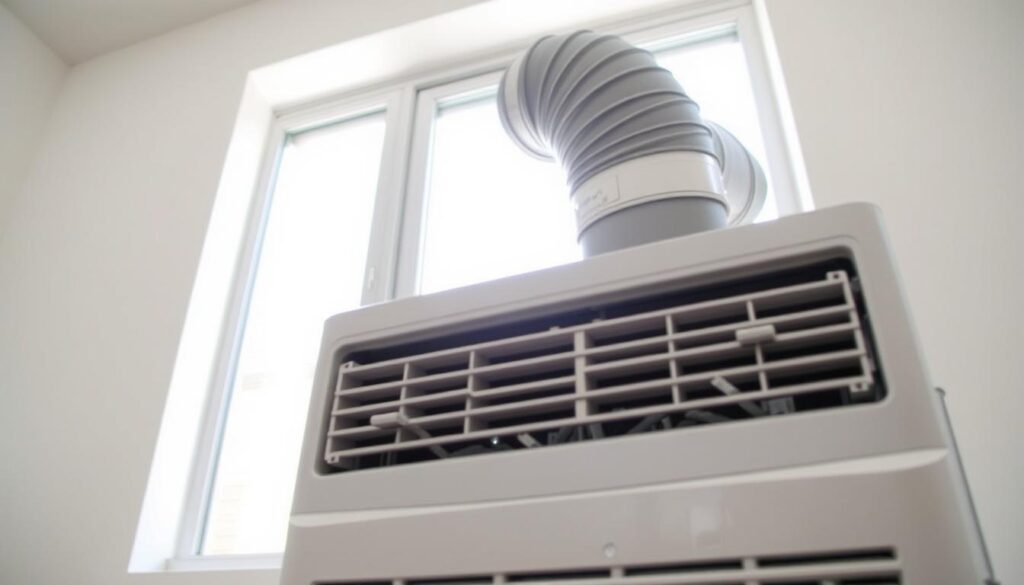
How Do I Set Up the Window Slider Kit and Exhaust Hose?
Start by selecting a firm, level surface with at least 12 inches of clearance around the unit. This ensures proper airflow and prevents overheating. Next, install the window slider kit. Slide it into your window frame and secure it tightly to avoid gaps.
Attach the exhaust hose by aligning the tabs and twisting it into place. You’ll feel a smooth click when it’s secure. Double-check the connections to ensure there are no leaks. A well-fitted window kit and hose are crucial for efficient operation.
What Should You Do When the Unit Fails to Start?
If your system doesn’t power on, don’t panic. First, check the power cord and ensure it’s plugged in securely. Verify that the outlet is working by testing it with another device. If the unit still doesn’t start, consult the manual for specific troubleshooting steps.
Common issues include tripped circuit breakers or clogged filters. Cleaning the filters regularly can prevent many problems. If you’re still stuck, reach out to customer support for assistance. They’re there to help with any question you might have.
Following these steps can save you time and frustration. Proper installation and maintenance keep your air conditioner running smoothly for years to come.
Your black decker ac guide for Maintenance and Problem Solving
Keeping your cooling system in top shape doesn’t have to be overwhelming. Regular maintenance ensures your unit runs efficiently and lasts longer. Think of it as nurturing your home appliance to keep it performing at its best.
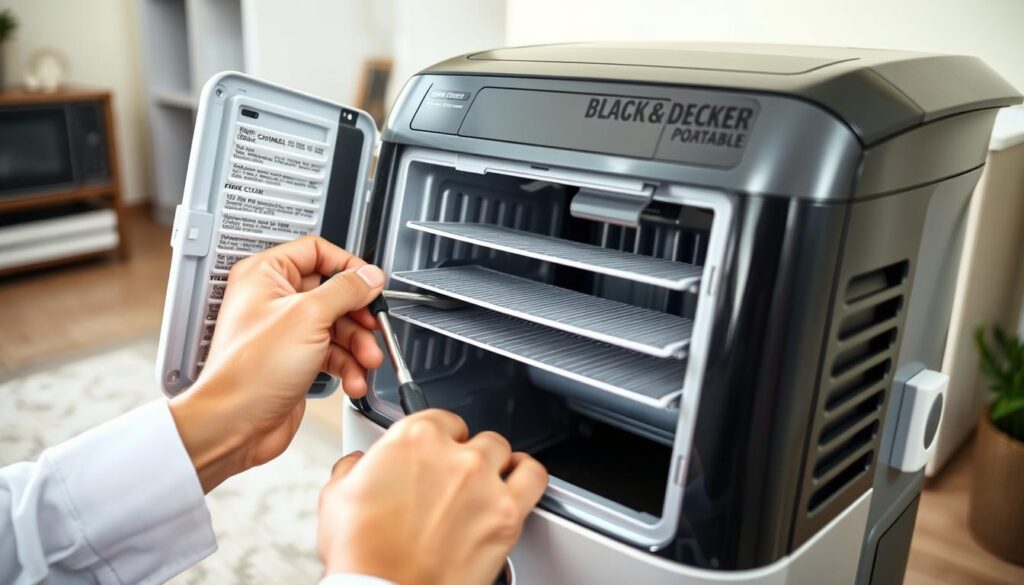
Why Is Regular Maintenance Critical for Optimal Performance?
Just like a car needs oil changes, your cooling system requires consistent care. Cleaning filters every 1-3 months prevents clogs and maintains airflow. Dirty filters can reduce efficiency by up to 15%, according to industry data.
Checking electrical connections and inspecting components like gaskets and seals can prevent leaks and breakdowns. A well-maintained unit also operates quieter, with noise levels around 65 dB, ensuring a peaceful environment.
How Can the Manual Help Answer Your Specific Questions?
The product’s manual is your go-to resource for troubleshooting and care. It provides step-by-step instructions for tasks like cleaning filters and checking refrigerant levels. If you have a question, the manual likely has the answer.
For example, it explains how to adjust thermostat settings for optimal cooling. Following these guidelines can save you time and prevent costly repairs.
What Research and Industry Data Support These Troubleshooting Steps?
Studies show that regular maintenance can improve energy efficiency by up to 20%. Units with clean filters and proper airflow cool spaces up to 450 sq. ft. effectively. Annual check-ups by professionals also extend the lifespan of your system.
By staying proactive, you can avoid common issues like ice buildup or refrigerant leaks. A little effort goes a long way in keeping your home comfortable and your system running smoothly.
Conclusion
Ready to take control of your air conditioner’s performance? By now, you’ve learned how to install, troubleshoot, and maintain your unit for optimal results. Regular cleaning, proper setup, and following the manual are your best tools for avoiding common issues.
If you’re still unsure about any steps, revisit the earlier sections for clarity. Small actions, like checking filters or ensuring proper ventilation, can make a big difference. Your cooling system is designed to keep you comfortable—treat it well, and it will return the favor.
Take a moment today to inspect your unit or schedule maintenance. With these tips, you’re equipped to handle any challenge. Stay cool, confident, and in control!
FAQ
What are the essential components and functions of your unit?
How does user-friendly touch control enhance operation?
How do I set up the window slider kit and exhaust hose?
What should you do when the unit fails to start?
Why is regular maintenance critical for optimal performance?
How can the manual help answer your specific questions?
What research and industry data support these troubleshooting steps?
Source Links
- 8 Reasons Your Portable AC is Leaking Water and How to Fix It
- Solving Black and Decker AC Unit Not Cooling Problems
- Black+Decker Home – Apps on Google Play
- How To Install A Window Air Conditioner
- Black and Decker AC Making Noise: Causes and Solutions
- 10,000 BTU SACC/CEC (14,000 BTU ASHRAE) Portable Air Conditioner with Heat
- Black+Decker Portable Air Conditioner and Heater Review
- Black+Decker Portable Air Conditioner (BPP05WTB) Review



0 Comments